This April I’m heading towards the Netherlands for participating in a hacking event called Hacker Hotel, which will take place in Garderen at the weekend Fri 10 - Sun 12 April 2015.
In a short discussion on the IRC a lot of interest in the topic ‘mainframe’ came up. So, I will talk about is Hacker meets Mainframe. The plan is to do a brief overview of the history, architecture of the mainframe and why it is still a topic which should interest a normal linux-hacker.
I’m looking forward to give the two session and, of course, to see you!
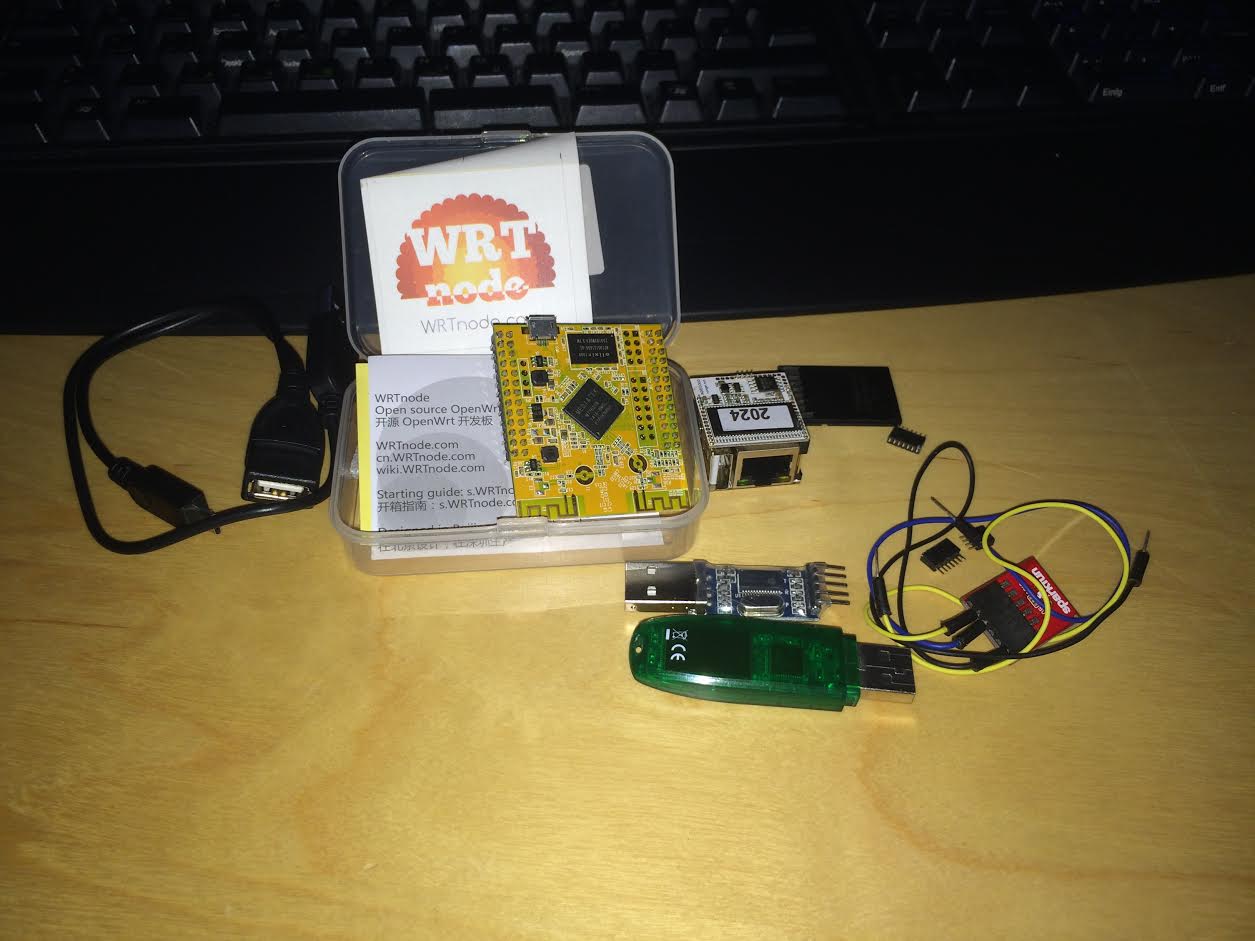
I think, I’m ready for my winter vacation. During the last weeks my ordered hardware arrived:
On the left side you can discover one of my two WRTnodes. I ordered two of them to see how nicely they can work as mesh nodes. On the right side you find the Indiegogo founded project named VoCore, which I mainly use for Piratebox applications.
While I’m fiddling around with the new hardware, I hope you all have a merry Christmas and a happy new year.
I’m not a big python developer, but I’m able to read documentations. There are several expensive services on the worl wide web, that allows you to start AWS instances using a specific schedule. Some free services do not allow to bring up instances of expensive types like “c3.xlarge”.
For me, that is all too much, because I want to start a prepared AWS-instance once in a week. I created a solution, that uses an available Python library called boto and a common cron on a running linux machine (or a tiny RaspberryPi). Note: This script does not create an Instance out of AMI-images, but you are able to achieve that as well.
Exchange region-abc to region you instances are located. access-key and secret should be replaced with the API credentials you generated above and the i-4711 you see in your overview on the EC2 list.
Put the script to the crontab like:
1 3 * * 1 python ~/bin/start_aws_instance.py
I use this as a tiny, cheap solution to quickly fire and forget one instance. The script doesn’t fail, if the instance is already up and running. If you use this way to start the instance, you should add a shutdown option in your running AWS-instance. I use a build script fired up right after instance is finished with booting. After the complete script is processed, a norma shutdown -h now is initiated.
I don’t recommend to use this in a large scale or buisiness critical solution, but sometimes you need a “quick win”.
Starting today we are running a new webpage, which will I try to keep up to date with interesting things. I discarded the old one and I hope you enjoy our new blog.
Last month was Capitalware initiated MQ Technical Conference. There were alot of IBM technicians talking about new features in IBM MQ 8.0 (formerly known as IBM Websphere MQ) or how to use it efficiently.